
Photo by AlphaTradeZone on Pexels
Trading on Phone: What the Apps Do Not Tell You
Trading on your phone is the financial world's version of eating in bed. Technically it works. Practically, you end up with crumbs in places you did not expect. (I am not saying I have done both. I am not saying I have not.)
The short answer to "can I trade forex on my phone?" is yes — and this post will explain how. The more useful question is what trading on your phone actually does to your discipline, your decision-making, and your account. Most guides cover the first question. Almost none cover the second. That is the gap this post fills.
The direct answer
Yes, you can trade forex on your phone. MetaTrader 4, MetaTrader 5, and cTrader all have capable mobile apps that give you full order management and live charts.
The market behaves identically on mobile or desktop. Your discipline does not. Phone trading introduces psychological pressures — constant accessibility, push notifications, near-zero friction between impulse and execution — that a desktop setup naturally reduces. That is the part most guides leave out.
Can you actually trade forex on your phone?
Yes. Forex trading on your phone is technically straightforward. The major platforms all have dedicated mobile apps that are genuinely capable:
- MetaTrader 4 (MT4) — still the most widely used platform among retail traders. Available on iOS and Android through most brokers.
- MetaTrader 5 (MT5) — the newer version, with more order types, more timeframes, and a cleaner mobile interface than MT4.
- cTrader — popular for its clean UI and depth-of-market visibility. The mobile app is well-regarded among intermediate traders.
- Broker-specific apps — many larger brokers have their own proprietary apps, though these vary significantly in quality.
You log in with your broker credentials, the account is identical to your desktop account, and you can place, modify, and close orders in real time. For checking positions and managing open trades, phone trading is entirely adequate.
The forex market itself trades over $7.5 trillion per day and operates 24 hours across five trading days. It does not care what device you use to access it. What changes is not the market — it is what accessing the market from anywhere, at any time, does to the person doing the trading.
The setup you actually need
Getting set up for trading on your phone takes under an hour. The steps are:
- Choose a regulated broker. In the UK, FCA-regulated brokers are the only ones worth using. Check the FCA register before depositing a pound.
- Open an account and download their app — either their proprietary platform or MT4/MT5 via their broker credentials.
- Start on a demo account. Every major platform offers demo mode with real market data and no real money at risk. Use it until the platform feels instinctive, not just functional.
- Keep charts simple on mobile. A cluttered chart that reads well on a 27-inch monitor is unreadable on a phone. Strip back to what matters — price, key levels, maybe one indicator if you truly need it.

Photo by AlphaTradeZone on Pexels
The technical barrier to trading on your phone is genuinely low. That is partly what makes it dangerous for traders who have not yet developed a robust trading system — because low friction between impulse and execution is not an advantage if the impulses are not yet worth acting on.
Most traders use their phones the way they use pockets: for things they need quick access to, usually the wrong things. A well-structured approach changes what you need quick access to.
What phone trading does to your psychology
Here is the part every app review skips.
The research on decision-making under emotional load is consistent: we make worse decisions when tired, stressed, distracted, or emotionally activated. The phone makes all of those conditions more likely, not less.
Push notifications
A losing trade notification at dinner puts you in exactly the worst emotional state to make a trading decision — and then puts a trading platform in your hand. A winning trade notification creates complacency. Both interrupt the deliberate mindset that good risk management requires.
My apprentice keeps all his notifications on. I have watched him check his phone seventeen times during a single lunch. Seventeen. I counted, because I had nothing better to do while he was checking his phone.
The always-on market and FOMO
The forex market runs five days a week, around the clock. That is not an invitation to be available around the clock — it is a structural feature you need a clear plan for. A desktop left at the office creates natural trading hours by accident. A phone with a trading app creates no such boundary. FOMO feeds on the gap between "I could be trading" and "I am not trading."
Revenge trading is mostly a phone problem
Very few traders sit down at a desktop at 11pm, after a bad session, specifically to revenge trade. Plenty do it from bed on their phone. The access is frictionless. The emotional state is wrong. The combination is expensive.
Most trading discipline failures are not failures of willpower — they are failures of environment. The phone creates an environment where the path of least resistance is also the worst possible decision. That is not a personal failure. It is a design feature of a device that was built for immediate engagement, applied to an activity that rewards patience and deliberateness.
When trading on your phone works
None of this means phone trading is a mistake. There are genuine use cases where a mobile platform is the right tool.
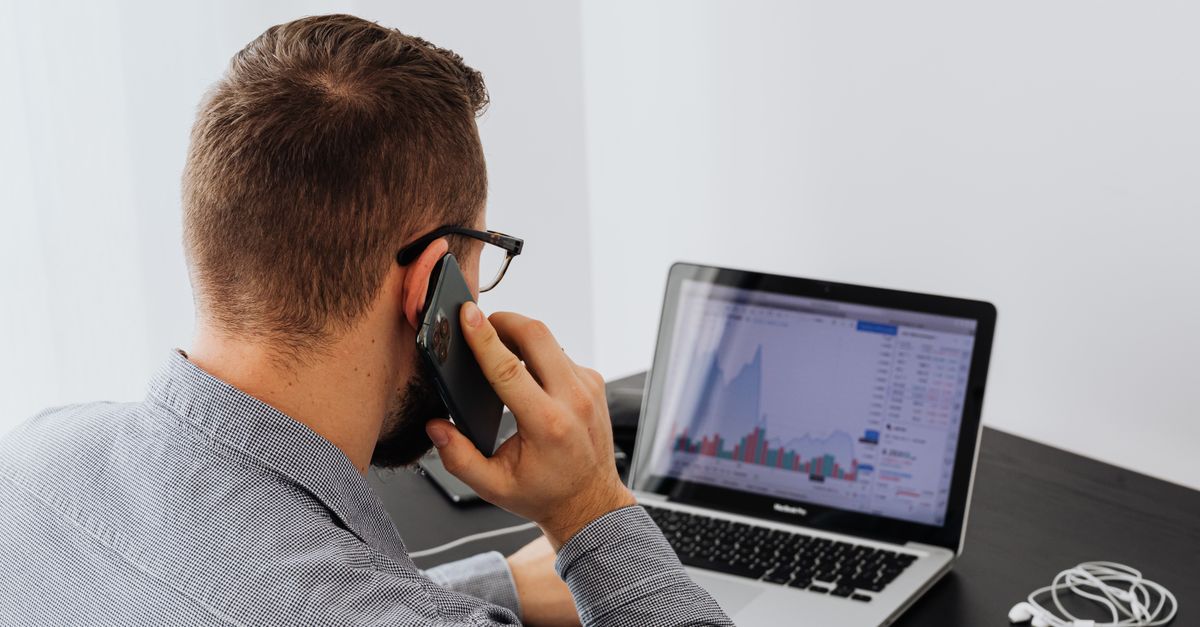
Photo by kaboompics on Pexels
Position management and monitoring
If you have an open trade with a clear plan — entry, stop, target all set — using your phone to monitor it and close it manually if conditions change is a legitimate use of the technology. You are not making new decisions. You are executing a decision already made.
Time-sensitive closes away from desktop
News events, session opens, economic data releases — if you have a trade running through one of these and cannot reach a desktop, having mobile access to close the position is valuable. This is reactive management of an existing plan, not impulsive trading.
Checking session times and price levels
Using a phone app to check where price is relative to a key level, or to see whether the London or New York session has opened, is a perfectly reasonable use of mobile access. You are gathering information, not making a trade.
Experienced traders with tested systems
A trader with a clear, tested approach and genuine emotional discipline can trade meaningfully from a phone. The platform limitations matter less when you know exactly what you are looking for. The caution here is honest: most traders who believe they are in this category are not yet.
When phone trading works against you
I checked an open trade from the bathroom during my daughter's school play. True story. The trade was fine. The experience was not, and I am telling you because it is more useful than pretending it did not happen.
Phone trading works against you in the following situations:
- —
You are doing analysis on your phone. Identifying order blocks, reading institutional footprints, understanding context — these require seeing the full picture. A phone screen, used for analysis, makes it easier to miss what matters and easier to focus on what you can see rather than what you need to see.
- —
You are opening new positions from your phone impulsively. If you did not plan this trade before you picked up the phone, you are pulling the trigger on an impulse, not a decision. The two feel identical in the moment. They produce very different results over time.
- —
You are trading on your phone because you lost earlier and want to recover. This is the clearest sign to put the phone down. An account bleeding through undisciplined mobile trades is a very specific and very avoidable problem.
- —
You are checking open trades when emotionally activated. Angry, tired, anxious, or after an argument are all states in which your phone trading history will show you made decisions you would not make in a calm moment. The market does not care about your emotional state. Your account does.
The honest version of "I can trade on my phone" is "I can execute trades on my phone." Whether you should is a separate question, and the answer depends on what you are doing and why you are doing it.
The rules that actually matter for phone trading
If you are going to trade on your phone — and most people will regardless of what any post says — here are the rules worth actually following:
Do your analysis on a desktop. Execute on mobile if needed.
The discipline that matters most is separating analysis from execution. Decision at the desk, management on the phone. This one rule eliminates a significant proportion of the worst phone trading outcomes because you are never making a fresh decision on a small screen under unknown emotional conditions.
Turn off trade notifications
Price alerts at key levels you have pre-set: useful. Notifications every time your open P&L moves: counterproductive. The second category creates anxiety that produces worse outcomes — either pulling you in when you should leave the trade alone or making you feel falsely secure when you should be managing.
Set stops before you leave the desktop
A trade with a stop loss set at analysis time is a trade that cannot bleed you while you are distracted. A trade left open without a stop on a phone that might be face-down on a table for two hours is not a trade — it is a gamble with delayed information. This is one of the most practical trading tips that sounds obvious and is consistently ignored.
Know which sessions you are trading and which you are not
The temptation of phone trading is to blur the line between "the market is open" and "I am trading." The market is open 24 hours. You should not be. Deciding in advance which trading sessions you participate in and which you observe limits the number of impulsive decisions a phone can generate.
The entry you place on your phone is not the problem
Whether you understood the context before you opened the app is. The same tools are available on mobile as desktop. The same retail indicators signal the same late entries on a phone as on a monitor. Mobile trading does not change the underlying mechanics of the market — it changes the conditions under which you interact with it. Build your understanding of context on a bigger screen. Then the phone becomes a management tool rather than a decision engine.
Who should not trade primarily on mobile
Most of what you find online about mobile forex trading is written by brokers who benefit from you trading more often. This part is not.
If you are in your first year of forex trading, use a desktop as your primary device. The smaller screen makes it harder to see market structure clearly, and the ease of mobile execution accelerates exactly the mistakes beginners make most: overtrading, impulsive entries, inadequate analysis. Building good habits on a desktop first means the phone becomes a useful supplement rather than a shortcut to poor decisions.
If you do not yet know why individual trades win or lose, mobile trading will just produce more of the same outcomes faster. The platform is not the variable. Understanding the mechanism behind price movement is — and that is harder to build on a phone.
If you know you have an impulsive trading pattern — revenge trading, overtrading after losses, adding to losing positions — do not give yourself an always-available trading platform. That is not self-awareness; it is giving yourself an easier path to a pattern you are trying to break.
None of this means phone trading is wrong. It means context matters, and the people who trade well from their phones have usually built a clear approach on a desktop first, then shifted to mobile for management and monitoring. The sequence matters.
Frequently asked questions
Can you trade forex on your phone?
Yes. All major forex platforms — MetaTrader 4, MetaTrader 5, cTrader — have mobile apps that give you full access to charts, orders, and account management. The honest qualifier is that the market behaves identically on mobile or desktop. Your discipline does not. Phone trading introduces specific psychological pressures that desktop setups naturally reduce.
Which is the best app for forex trading on phone?
MetaTrader 5 (MT5) is the most widely supported mobile trading app, available through most retail forex brokers. cTrader mobile is well-regarded for its interface and speed. The choice of app matters less than the choice of broker and the approach you bring to mobile trading. A well-designed app used without a clear plan produces the same results as a basic app used the same way.
Is mobile forex trading as good as desktop trading?
For monitoring positions and executing pre-planned trades, mobile is adequate. For analysis and decision-making, a larger screen is significantly better — not because the data is different, but because the reduced screen space makes it easier to miss context and easier to act impulsively. Most experienced traders do their analysis on desktop and use mobile for management and monitoring only.
What are the risks of trading forex on your phone?
The main risks are psychological rather than technical. Always-on access means traders check positions during emotionally charged moments — at dinner, during arguments, at night when tired. Push notifications from losing trades prompt revenge trading at times when the trader is away from their analysis. The technical execution is reliable; the human on the other end of the phone is less so.
Can you use MetaTrader on your phone?
Yes. MetaTrader 4 and MetaTrader 5 both have dedicated iOS and Android apps. You log in with your broker credentials, access the same account as your desktop, and can view charts, manage open positions, and place new orders. The mobile version has fewer indicator options than desktop but covers all core functionality.
Should I use my phone as my main trading device?
It depends on where you are in your learning. Experienced traders with a clear system can manage well from mobile. Beginners should prioritise desktop for analysis — the larger screen and reduced friction help build methodical habits. Using mobile as your primary device before you have a well-tested approach typically accelerates the most common beginner mistakes.
Marco has traded forex from London since 2009. He has used a phone to trade in more situations than he would professionally recommend — some of which he has admitted to in this post. Rethink Forex exists to give traders the understanding that phone apps, however good, cannot substitute for. More about Marco.
Start Seeing What's Really Moving Price
Most traders react to price. Learn to read what drives it.
See how Rethink Forex works